I have been spending rather more time building things around my photography recently. What began with Frame, an app to help me review my portfolio, has grown into several separate projects. There is now a tool for cleaning film scans, a developing studio for editing photographs, and two applications that take those photographs into digital art. Somewhere among that, I have also been making a case for my film.
I have still been getting out with the cameras. The late Autumn sun has been enough to tempt me away from the computer with the Olympus OM-1, Hasselblad H1 and Nikon F, and I have three colour films waiting for development. The silver birch included in this blog comes from a recent walk with the OM-1 and FPP Finegrain 6, an ISO 6 film that gave me a rather different pace to work at.
There is quite a distance between that camera and the software I have been building, but the photographs connect them. Some of the applications help me prepare and assess my work. Others have become a reason to return to pictures I already know and see what else I can make from them.
From reviewing photographs to developing them
Frame came from wanting to look more critically at my portfolio. Choosing photographs for a collection is different from choosing favourites from a roll or a trip. I might like several similar frames individually, but that doesn’t necessarily mean the portfolio benefits from including all of them. There is also the difficulty of separating what I remember about making a photograph from what it communicates to somebody else.
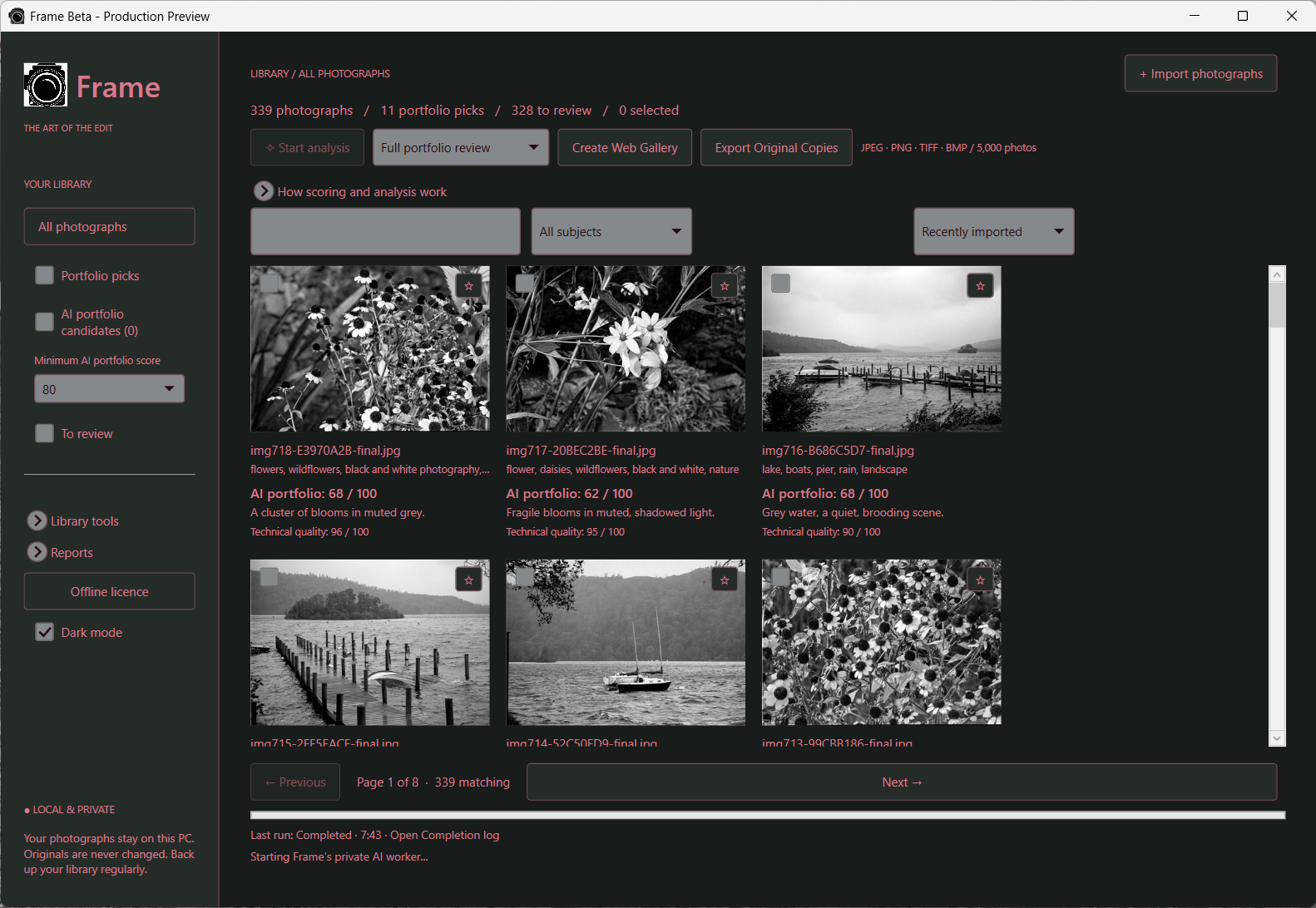
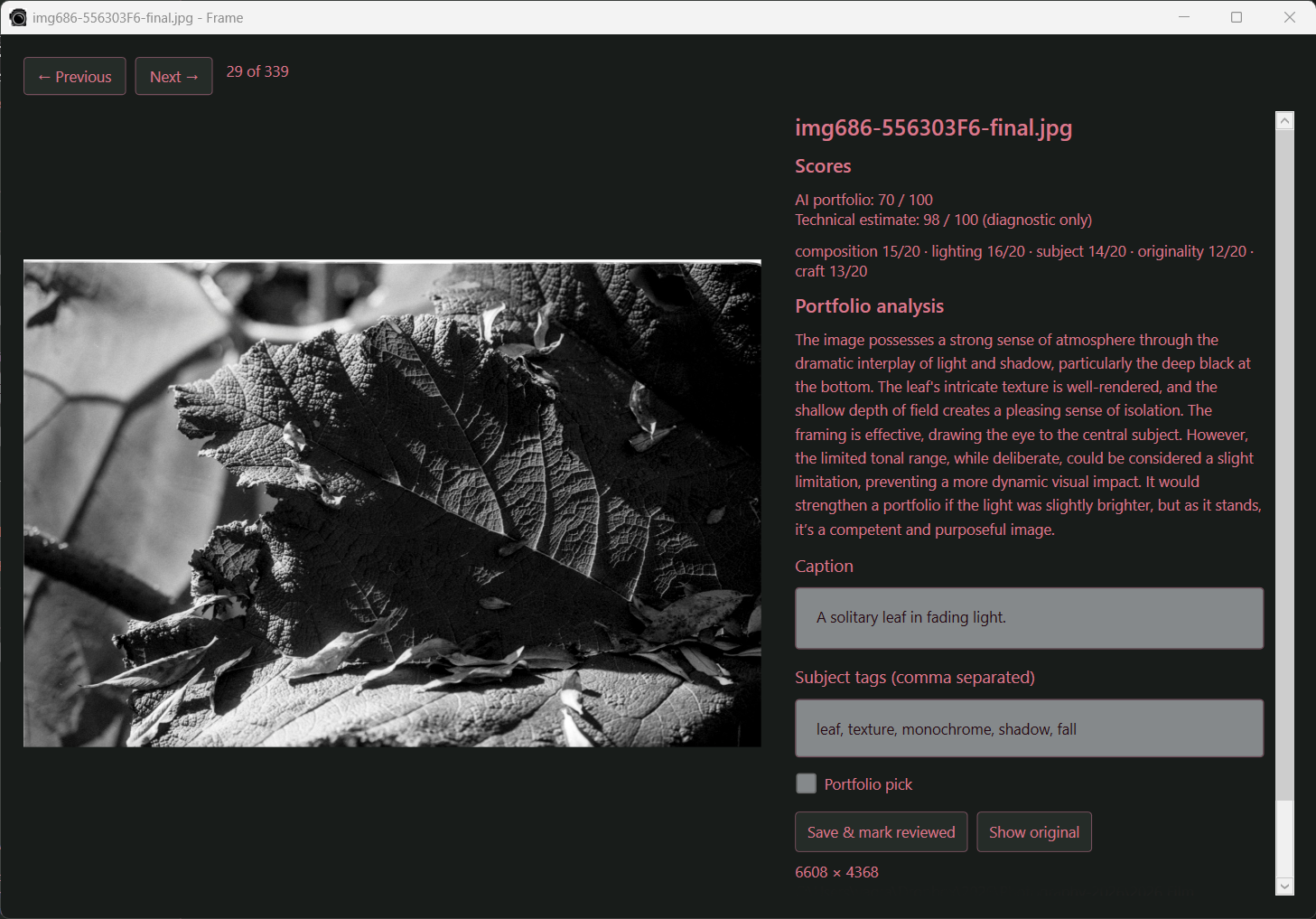
I built Frame around a local language model to help me review the collection and narrow down stronger photographs. I still make the choices, but having another assessment to consider gives me something to work against. A response can be useful because I agree with it, or because disagreeing makes me articulate why I think a photograph belongs.
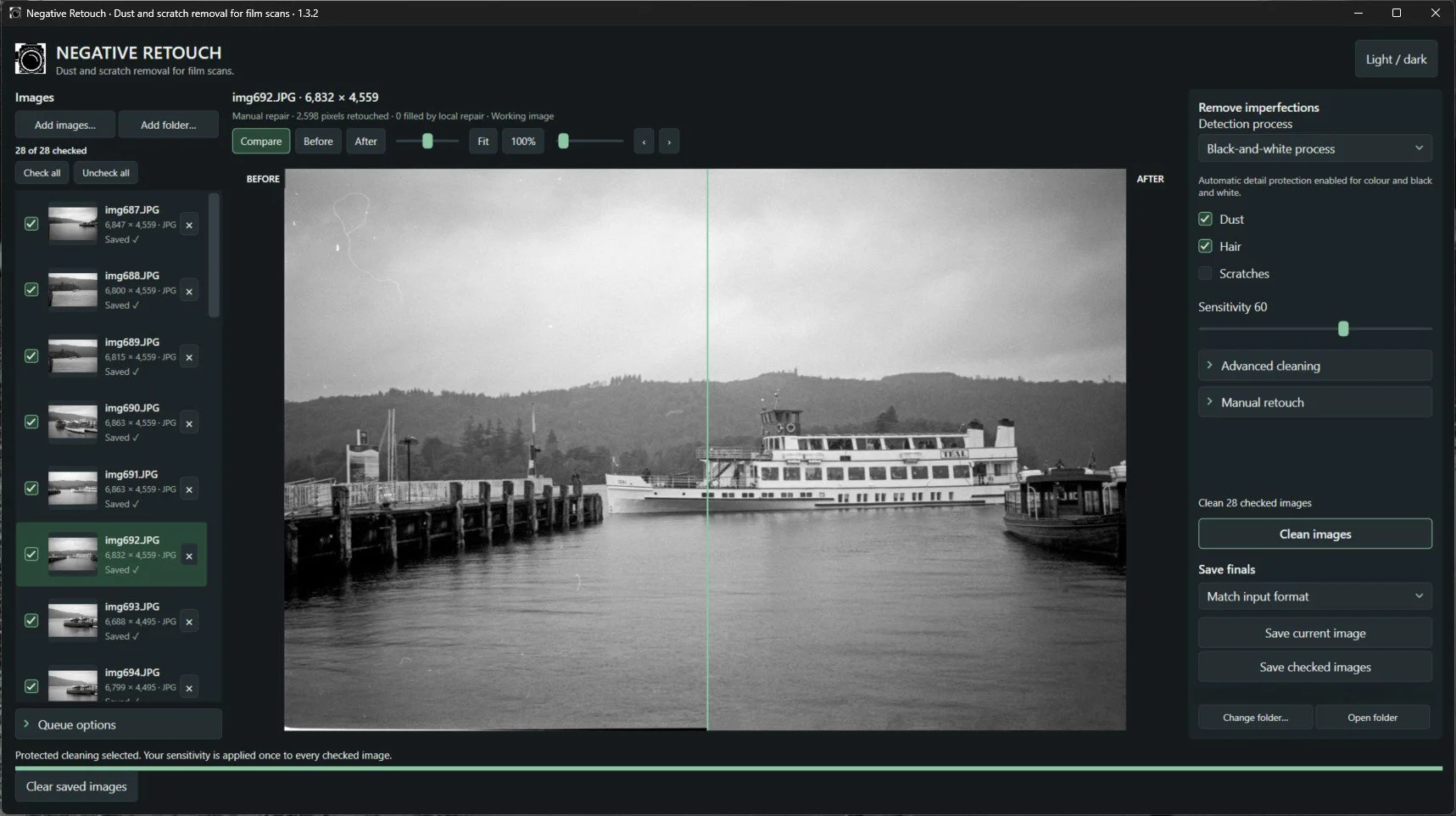
Negative Retouch followed with a more practical job. I wrote about it in my previous post: identifying and removing dust, hairs and scratches from film scans, with a locally running model contained within the application. That project was much more concerned with the work between scanning a negative and beginning to edit the photograph. Once I had built some of that capability, I wanted to take it further. Cleaning a scan usually leads straight into the familiar adjustments I make in Photoshop, and I began considering which of those I actually use regularly. Lightbench grew from that.
Lightbench
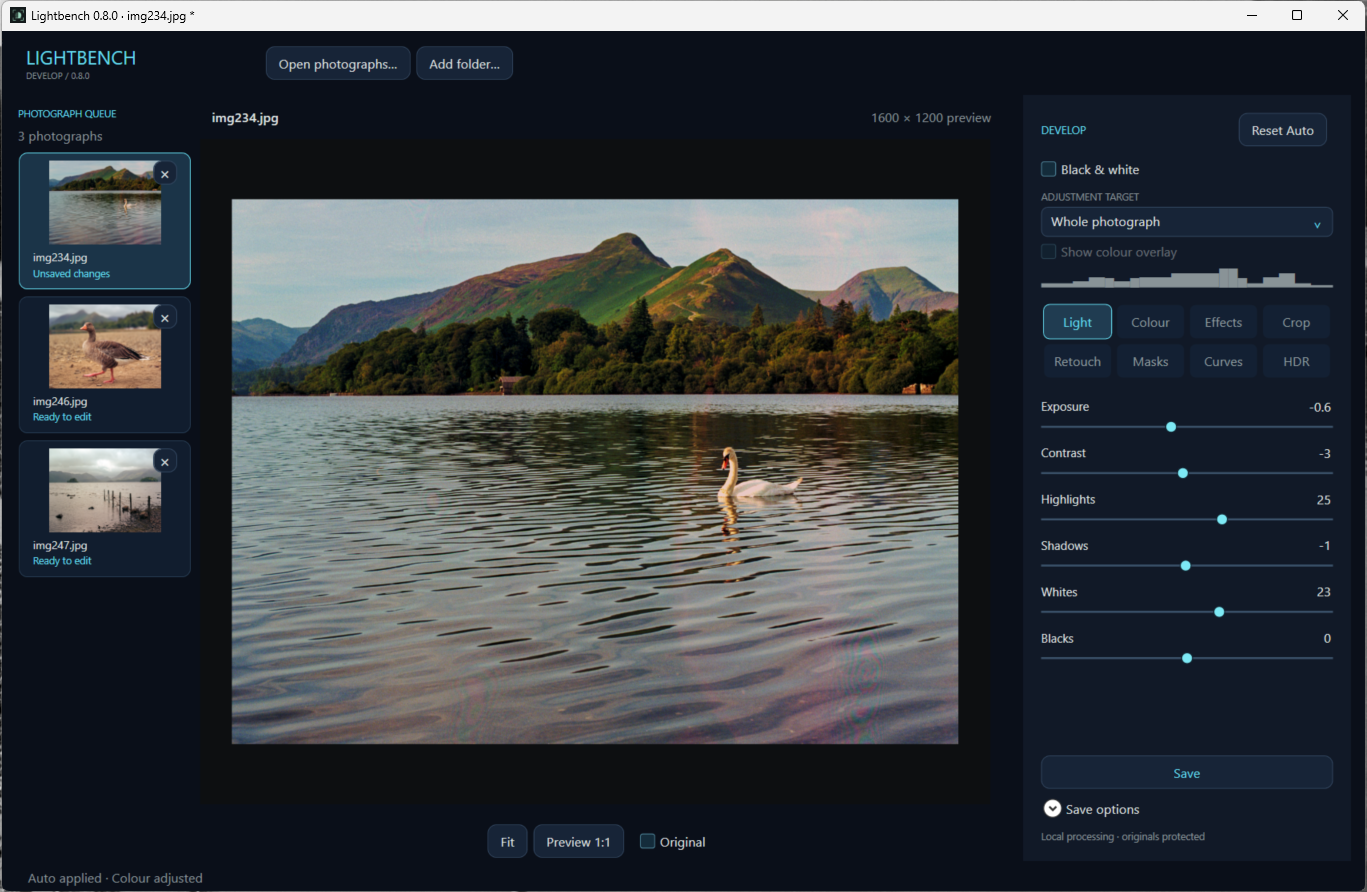
Lightbench is my own standalone photographic developing studio. I reused some of the work from Negative Retouch and extended it around the adjustments I wanted available: light and colour controls, curves, masks, cropping and retouching. The intention was to bring together the parts of my existing workflow that matter to me, in an application arranged around how I work.
Building it makes even familiar controls worth reconsidering. It is easy to know where to find an adjustment in software I have used for years without thinking much about its place in the process. Deciding how to organise my own application means considering what I reach for first, what I want to compare and when I need to work on a particular area rather than the whole photograph.
The screenshot shows a photograph across Derwentwater, with the swan on the water and the hills beyond. It is the sort of image on which those relationships matter. An adjustment that helps the hillside can change how the water feels, while bringing up a bright detail can give it more attention than I intended. Those are familiar photographic decisions, now being made through controls in something I have built.
There is no LLM in Lightbench. I used Codex to help develop it, but using AI during development is a different thing from putting a language model into the finished application. Here, I wanted a photographic editor with controls I could use directly. I have enjoyed seeing that become something I can open and work in. It is still a personal project, with my own photographs providing both the reason to build it and the material on which to judge it.
Letting the photograph become something else
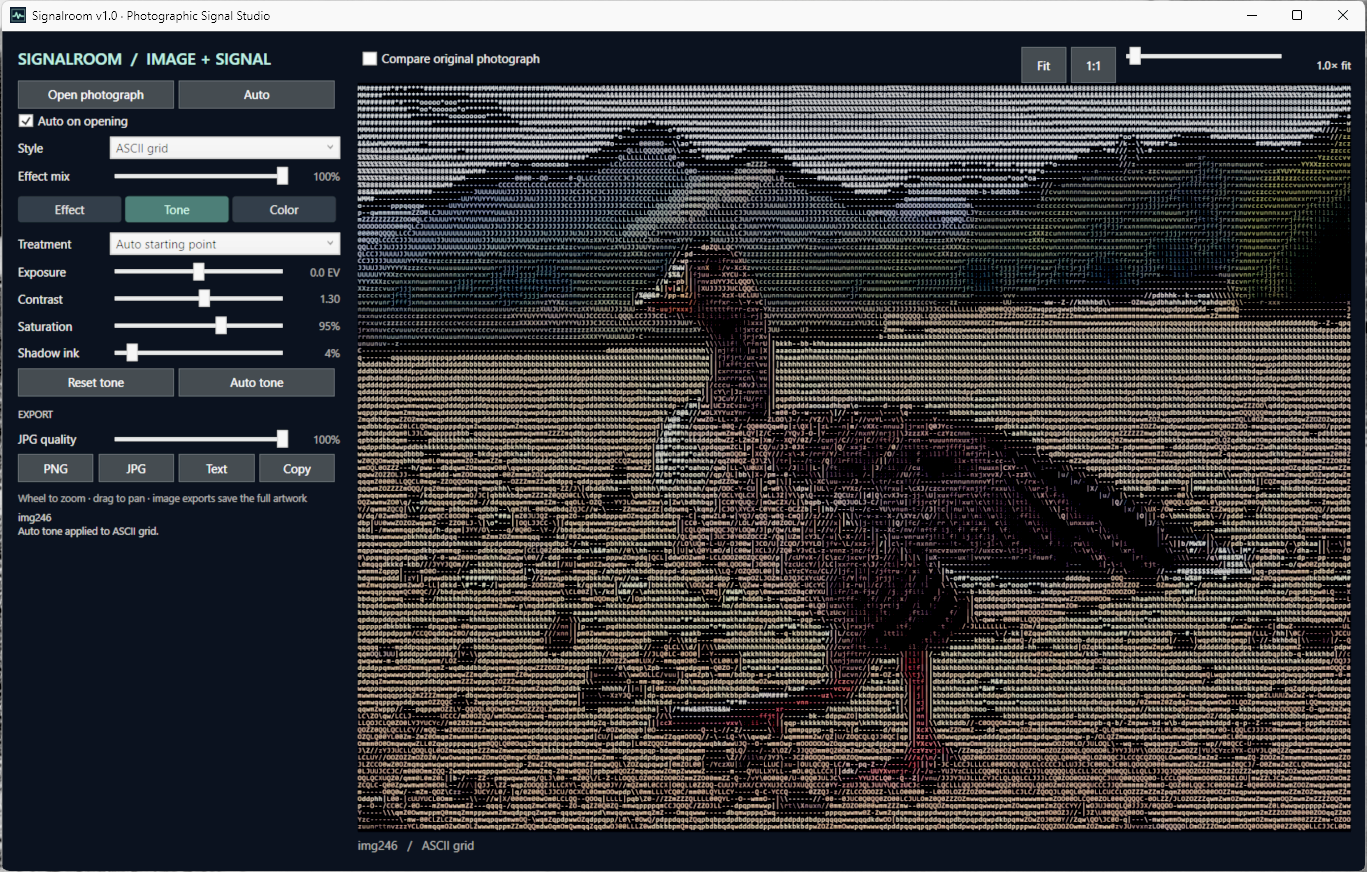
Signalroom began with a different intention. With Frame, Negative Retouch and Lightbench, I was working towards a photograph I might include in my portfolio or prepare for sharing. Signalroom gave me somewhere to be more experimental. The starting point was an ASCII algorithm, using characters to reconstruct a photograph. From a distance, the subject remains recognisable. Move closer and the surface breaks into letters and symbols, with their density and arrangement carrying the tones of the original image.
That change in how the picture reads is what interested me. I could recognise a photograph I knew well while also looking at a new surface. Details that had been important in the original might disappear, leaving a larger shape to carry the composition. Elsewhere, an ordinary area of texture could become one of the most interesting parts.
Signalroom
The duck in the screenshot is a useful example. The outline and posture survive the conversion, as do the broad divisions of colour, but looking closely becomes a different experience. The characters are visible throughout the image, so my attention moves between reading the subject and examining how it has been constructed.
Since that first ASCII approach, Signalroom has expanded into other forms of signal-based treatment, including fluid ASCII, glitch, analogue television and spectrogram-inspired work. Each gives me another way to interpret the source photograph. Some pictures respond well to a treatment that does very little for another, and I have been enjoying finding those differences. The choices still depend on the photograph. I can alter the strength of the treatment, the contrast or the amount of colour, but I need something worth developing from the result. An elaborate transformation can just as easily make a picture less interesting. I am looking for a version that gives me a reason to keep looking, rather than simply demonstrates that an effect has been applied.
This has brought me back to the arts side of my interest in photography. I spend a lot of time trying to preserve detail in scans or establish a convincing balance in a print. In Signalroom, I can allow the image to break apart and see what remains. The original composition is still there to work with, but I have much more freedom over what describes it.
Signalroom Motion and VagrantSignal
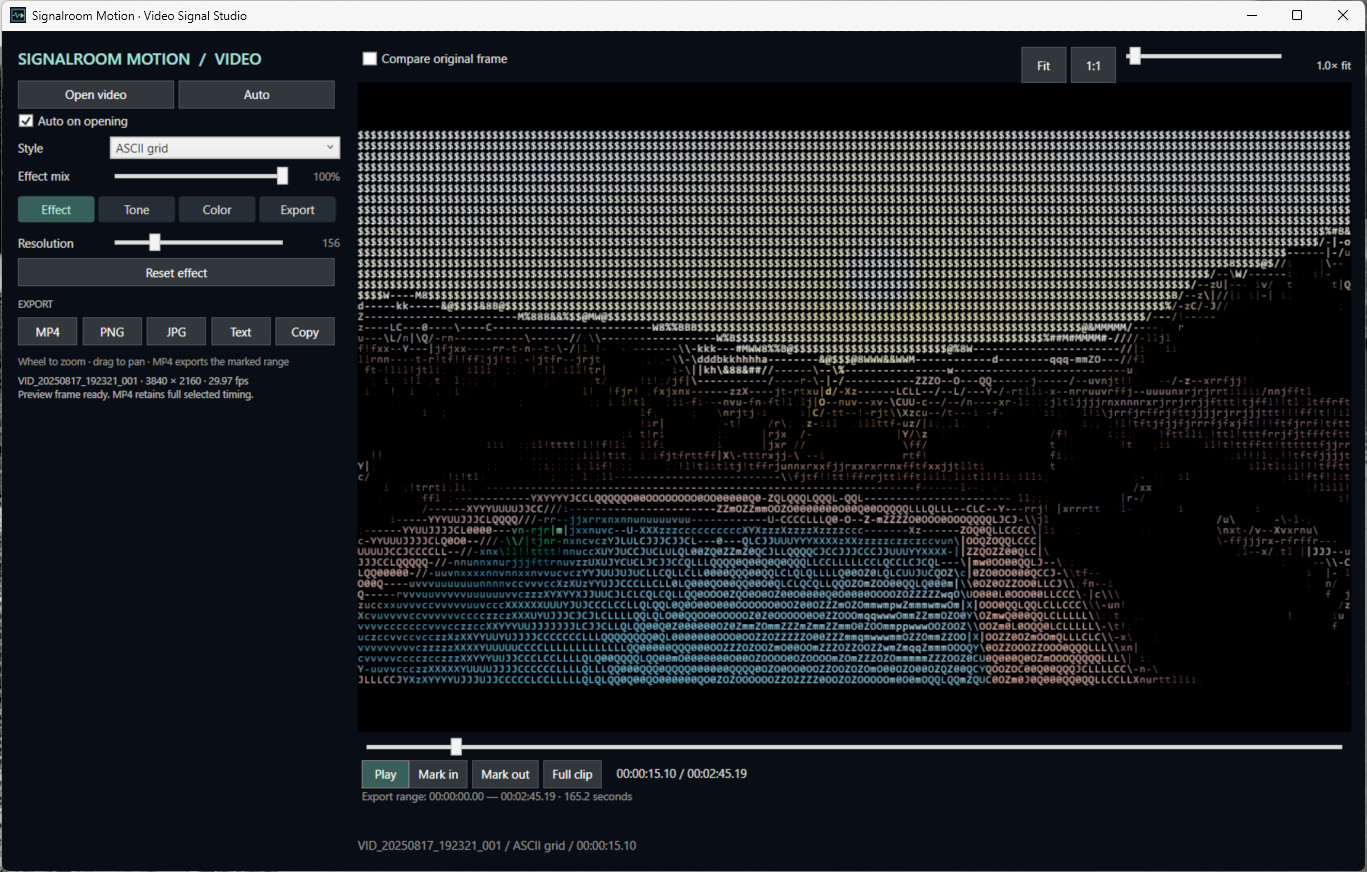
Signalroom Motion extends that work into moving images. A character pattern that looks interesting in a still frame behaves differently as the subject moves through it. Shapes become easier or harder to recognise, and changes in the scene alter the texture from one moment to the next.
Signalroom Motion
That gives me something else to consider when choosing a treatment. A frame might look convincing on its own but become too busy in motion. Equally, a passage that seems fairly ordinary in the original footage can become more interesting as its colours and forms move through the pattern. I can select a section and work with its timing as well as its appearance.
I wanted a separate place for this work, so I started a new Instagram profile, VagrantSignal, under @vagrantsignal. My analogue photography already has its own context, and I wanted room for the digital pieces to develop a character of their own.
They complement that portfolio because they begin with the same interest in images, often with photographs I have already made. But I want to give them enough space to be considered as individual works. Sharing them separately also lets me experiment without trying to make each new piece fit the appearance of my film photography. It has been refreshing to approach older pictures with a different set of questions. I might already know whether I like a photograph as a photograph. Seeing it reconstructed through characters, interference or shifting patterns gives me another decision to make, and occasionally another reason to spend time with it.
A case for the film
Alongside the software, I have been working on something physical: a case for six boxed rolls of 120 film. It has a folding handle, hinged lid and front clips, with the rolls kept together in their cartons.
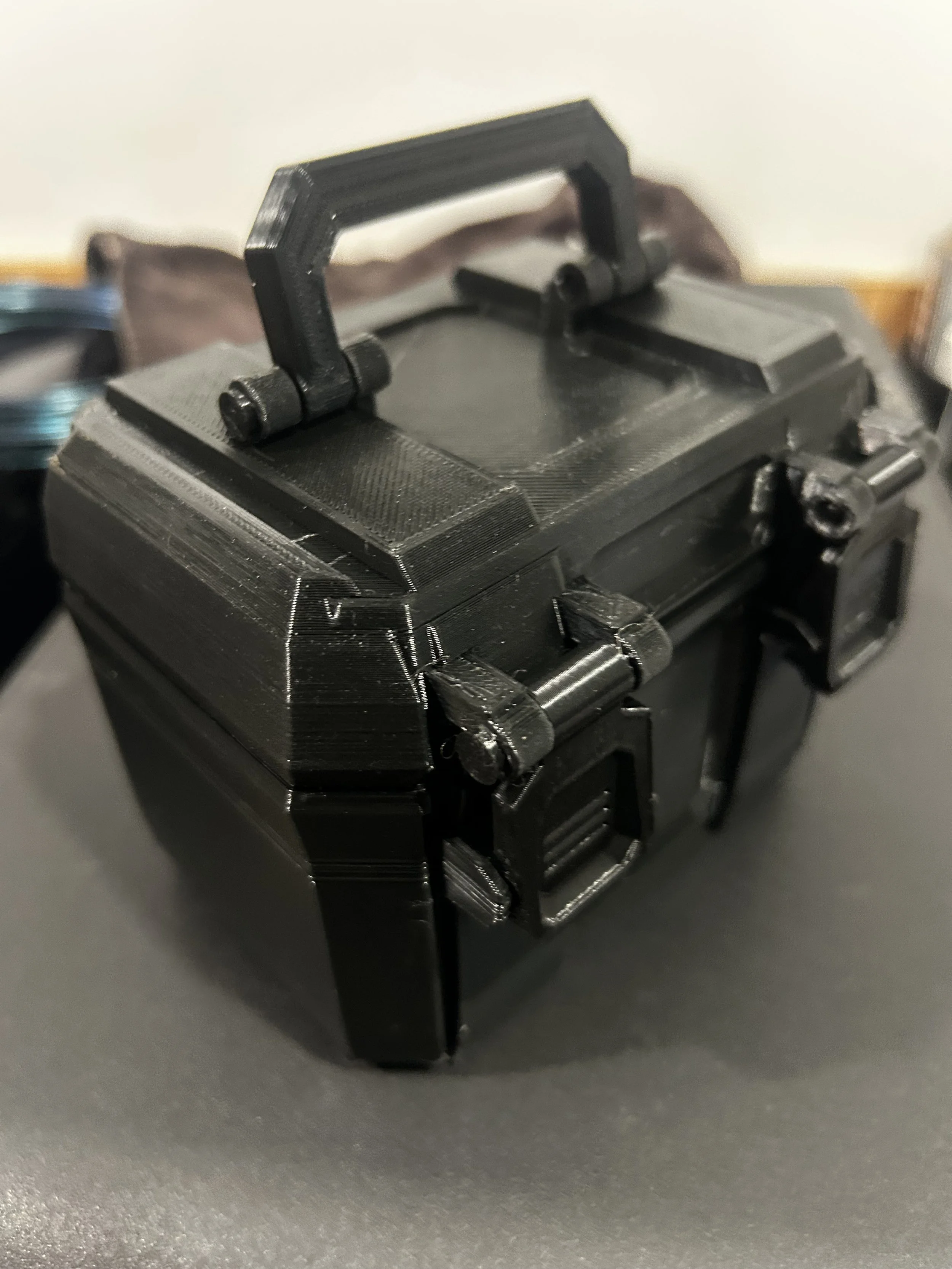
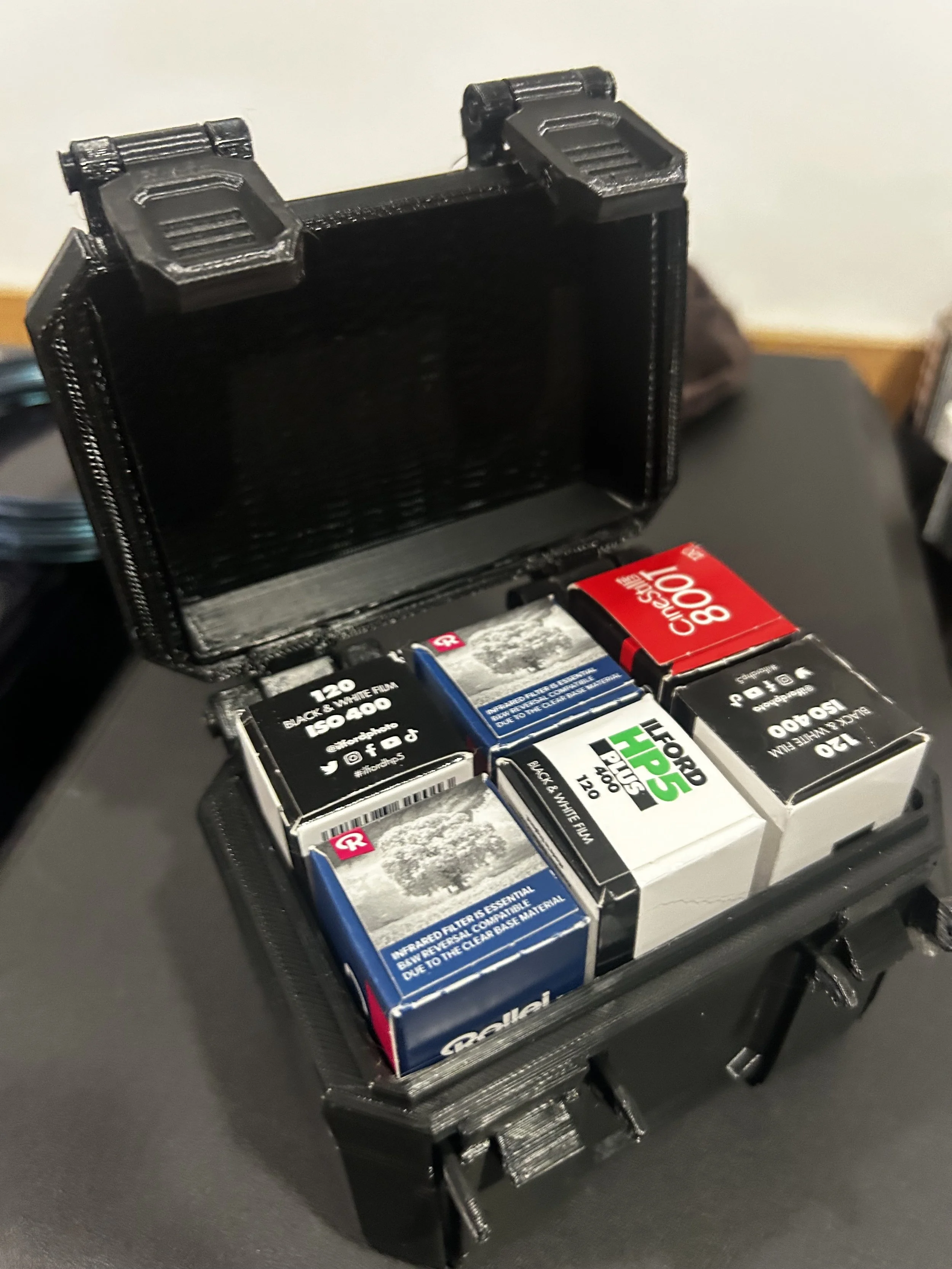
Making a box sounds a simpler proposition than building an application, although the hinges and clips have given me plenty to think about. A part can look perfectly reasonable on screen and prove much less convincing once printed and handled. The lid has to open properly, the clips need to hold, and the smaller connections need to survive use. It is another project that began with something I wanted for my photography. Having the film together in a case appeals to me, and there is a satisfaction in putting the actual cartons inside after spending time working on the parts. I am learning through the versions that don’t quite work as much as through those that do.
Back out with the OM-1
With several projects on the go, it would be easy to spend all my photography time at a desk. I have been enjoying the opportunities to get outside in the Autumn sun, and moving between the OM-1, H1 and Nikon F has kept me supplied with a very different sort of work to finish. The silver birch was photographed on FPP Finegrain 6 with the OM-1 and 50mm f/1.4 Zuiko. At ISO 6, it was a considerable change from loading a roll of HP5 Plus. The available light becomes a much more immediate consideration, and the sun and bright light was welcome.
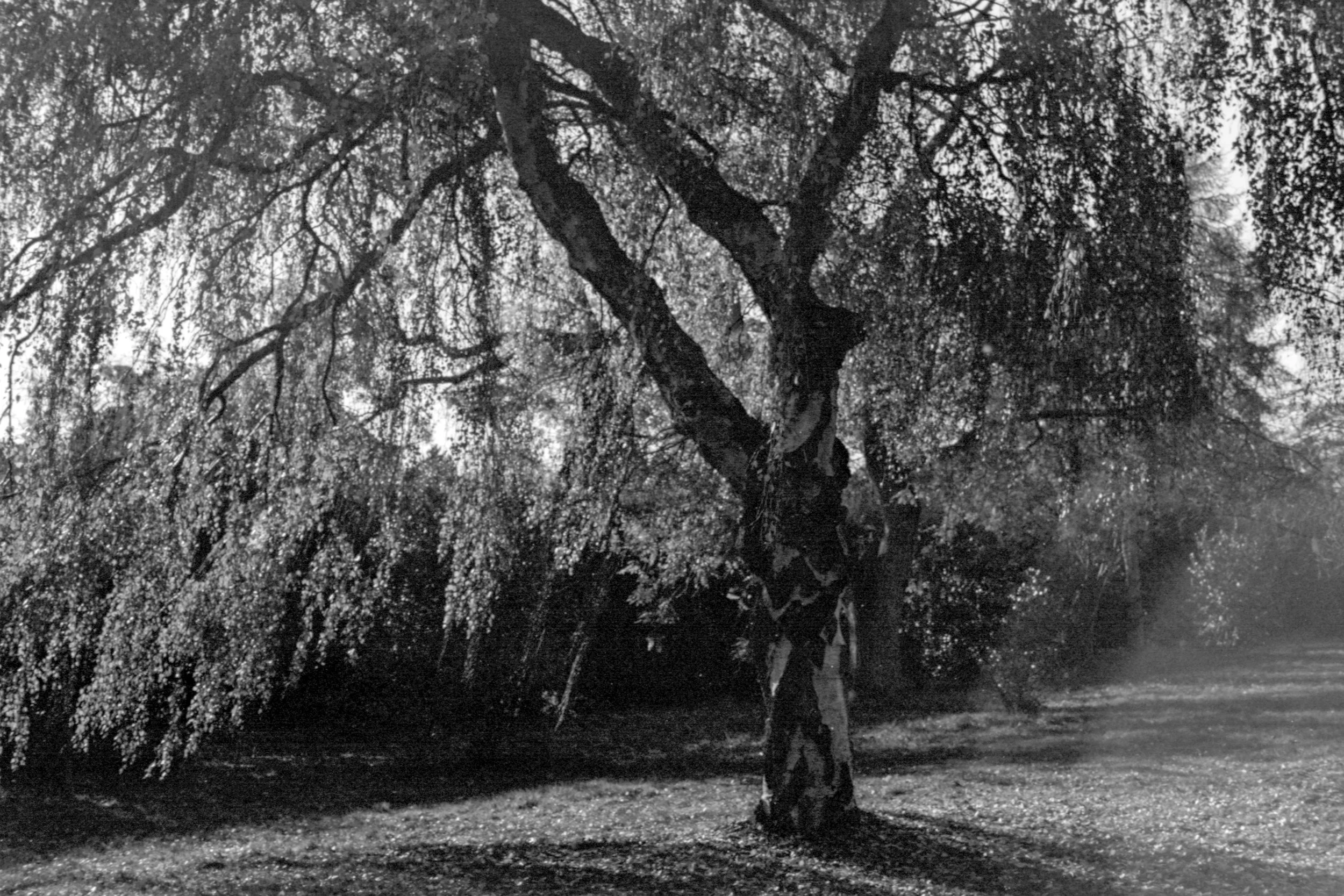
Birch - FPP Finegrain 6
What I like in this photograph is the way the hanging branches fill so much of the frame. The trunk is substantial and dark in places, broken by patches of pale bark, while the smaller branches and leaves form a much finer pattern around it. Sunlight catches those details against the darker planting behind, and the shadows spread across the ground beneath the tree. There is a lot happening, but I keep returning to the trunk. It gives me a route through the detail, from the base into the larger branches, before my eye starts following the hanging growth again. I like the contrast between that weight and the much lighter curtain around it. After so much time working on software, it is good to have a new negative to look at. It brings me back to the original reason for all of these projects: I enjoy making photographs, working with them and finding different ways to present them. The apps have given me more possibilities once a picture reaches the computer, while the cameras continue to give me reasons to leave it.
There is a Deskbot project taking shape as well, with some capabilities I am looking forward to exploring, but that can wait for another post. For now, I have three colour films waiting to be developed and a silver birch I would like to spend a little longer looking at.